
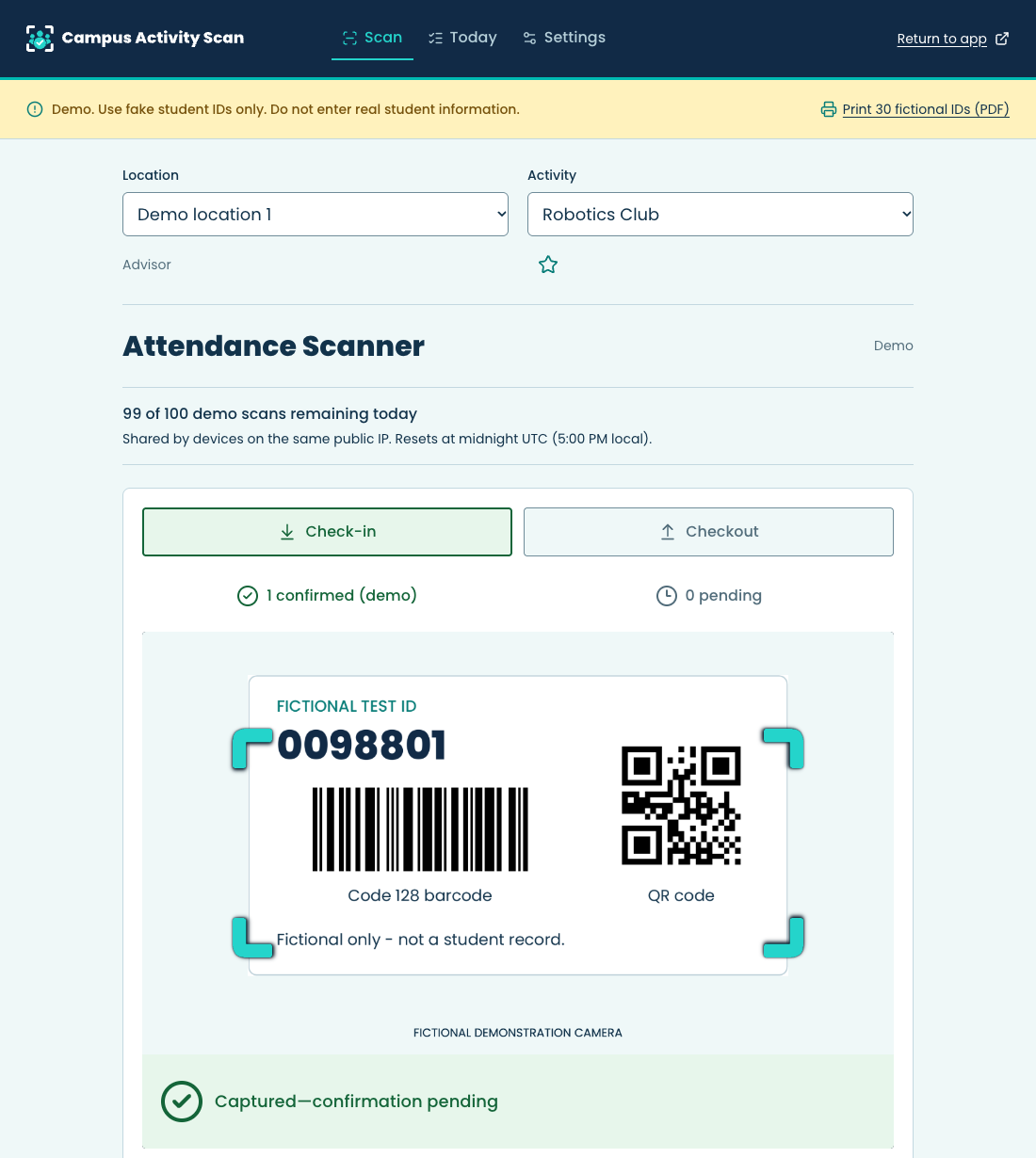
 A look inside the fictional-data demo
One location. Its activities.
A shared attendance record.
Campus Activity Scan was created by a school counselor who needed a simpler way to track attendance for groups, school clubs, and activities. It helps staff spend less time recording attendance and more time with students.
Scan student ID barcodes or QR codes. Confirmed club and activity attendance goes to your location's Google Sheet. Managers handle setup; advisors keep the line moving.
- 01 / Set up
Prepare the location
A manager creates activities, connects an authorized Google Sheet, and invites advisors to their exact Google accounts.
- 02 / Scan
Choose, then check in
Staff choose the location and activity, then scan or type an ID. The camera stays ready for the next arrival. Checkout is a separate action.
- 03 / Review
Know what was saved
Today separates your captured, pending, confirmed, duplicate, and needs-attention submissions. Full attendance stays in the original spreadsheet, with separate Google access.
See attendance
from scan to status.
The public demo simulates Advisor scanning and a personal Today log without an account or a Google Sheets connection. A limited Manager settings preview lets you add activities within your demo only.
Use fake student IDs only. Do not enter real student information.
Print 30 fictional test IDsBarcode and QR formats. Eight IDs per page.
In the connected app
- Google sign-in and authenticator-protected settings
- Location permissions, activity setup, and advisor invitations
- Continuous barcode and QR scanning, with manual entry
- Confirmed Google Sheets delivery and duplicate handling
- Account-isolated pending entries and delivery review
School authorization and review of privacy, security, and recovery arrangements are required before using student records. App access does not establish school approval.
Attendance, with defined access.
Camera decoding stays local
The app decodes images on the device. It does not upload or retain camera images, require GPS, or fetch a student roster.
Your own scans in Today
Today shows only the signed-in user's submissions from this device and day. Location permissions stay server-checked; school-wide attendance and Google credentials are not exposed.
Your original Sheet remains yours
The connection stays with the same file. Google file sharing is separate from app access, and managers retain responsibility for corrections and sharing.
Questions before
you try it?
Start with the demo. Then explore the connected workflow with an approved account.
Contact usDo we need new student cards?
A manager can save a numeric ID length from 1 to 32 digits for each location; seven is the default. Leading zeros are preserved. With cleaning off, IDs must contain the configured number of digits. The default seven-digit rule also preserves compatibility with seven digits plus one ASCII letter, removing that letter without changing digit order. Optional cleaning removes letters and symbols before validating the remaining digits; extra digits are never cut off. Test your actual barcode or QR format before use, or type a supported ID. Not every campus ID format is supported. The app does not connect to Infinite Campus or verify enrollment.
When is attendance actually saved?
Green Captured—confirmation pending means a valid check-in is safely in this device's pending queue, so the next student can scan. It does not mean Google Sheets has saved the record. Today shows Pending, Sending, Confirmed in Google Sheets, Duplicate, or Needs attention. Duplicate check-ins resolve quietly in the background. Checkout is verified against a matching same-day open check-in. The public demo simulates these outcomes and never writes to Google Sheets.
What happens if the connection drops?
Starting or resuming a session requires internet and server authorization. If an active session loses its connection, capture can continue until ten minutes pass without a new valid entry, subject to current session and authenticator-verification limits. Pending scans retry separately from Today and expire 24 hours after their original capture. Midnight does not cancel them. Keep the same account, device, and browser available and reopen before the deadline; delivery while a phone is locked or the app is closed is not guaranteed.
What can an advisor see?
An approved advisor can scan within their authorized locations and view their own submissions from this device in Today. Today follows the location and activity selected in Scan and resets with the local attendance day. Every role, including the owner, sees only their own device submissions there. Advisors do not receive spreadsheet links or Google credentials. Full attendance requires independently granted Google Sheets access.
Does the app take over our Google Drive?
No. A manager separately authorizes access to an app-authorized spreadsheet. Google permission covers the authorized file, not just one tab. The app keeps the original spreadsheet connected; app permissions and Google sharing remain separate.
What should a school review before using it?
The school must authorize its use and review the current Privacy Policy, Terms, data handling, access controls, and recovery arrangements before entering student records. An app account, Google sign-in, or a demonstration does not establish district approval or regulatory compliance. Contact us to discuss the intended workflow and requirements.
What are the demo limits?
The demonstration offers Advisor-style scanning and Today, plus a limited Manager settings preview for adding activities in the demo only. It needs no sign-in or Google Sheets connection and provides no real account, location, or manager permissions. Completion is labeled Confirmed (demo). It allows 100 valid scan attempts per public IP address per UTC day, so a shared school network shares the allowance. Demo Today follows Scan and the local attendance day. Fictional scan data and added activities clear after 60 minutes of inactivity, or on reset or reload; resetting never refunds the daily allowance. If the browser is suspended, overdue cleanup happens when it returns.
Try a scan. No account needed.
Use fake student IDs only. Do not enter real student information.
Demo attendance is simulated. Nothing is sent to a Google Sheet.
Open demonstration